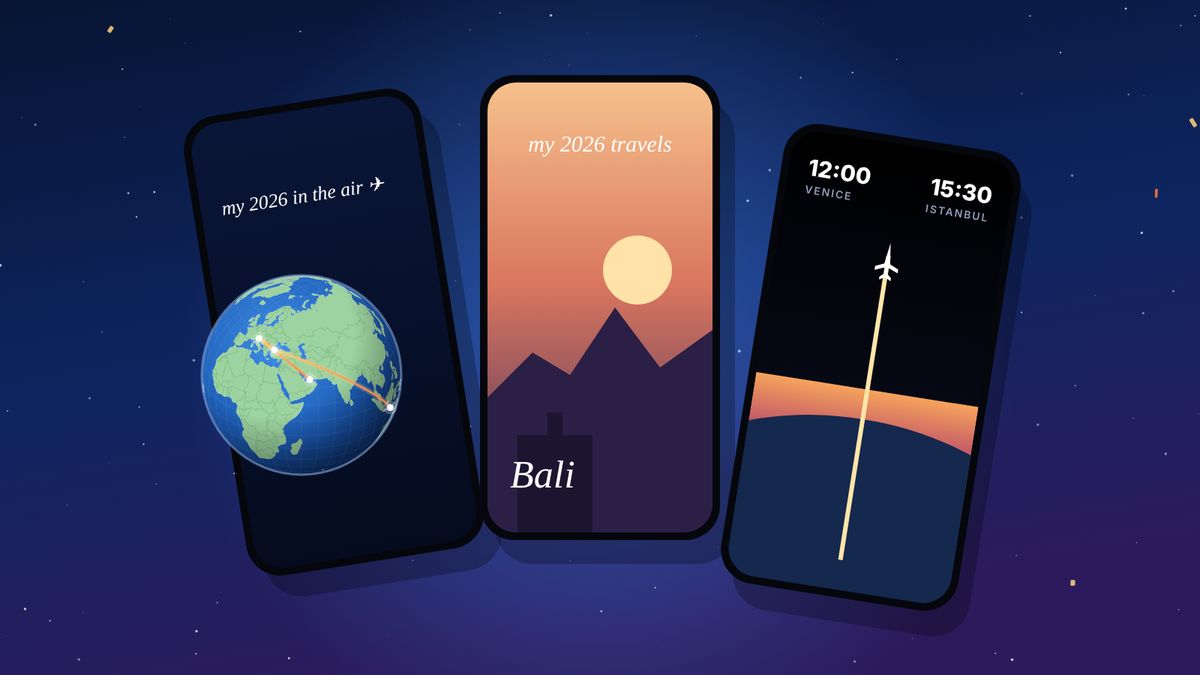
Airline apps only show the flights you took with them. To see your whole year in one place, add your 2026 flights to a flight log such as flew.world, which is free. It builds your year for you: total kilometres, countries and hours in the air, a passport card, a video on a satellite globe, and a Wrapped story from 1 December.
Every December your phone fills up with recaps: the songs you played, the steps you walked, the photos you took. Flights are usually missing, even though for many people they are the most memorable part of the year. The reason is simple. No single company sees all of your flights. Your airline knows the trips you booked with it, your booking site knows the ones you booked there, and nobody joins them up.
This guide shows how to build a travel Wrapped for 2026 that covers every flight on every airline, what it can tell you about your year, and how to turn it into a video you can post before New Year’s Eve.
What’s in a travel Wrapped?
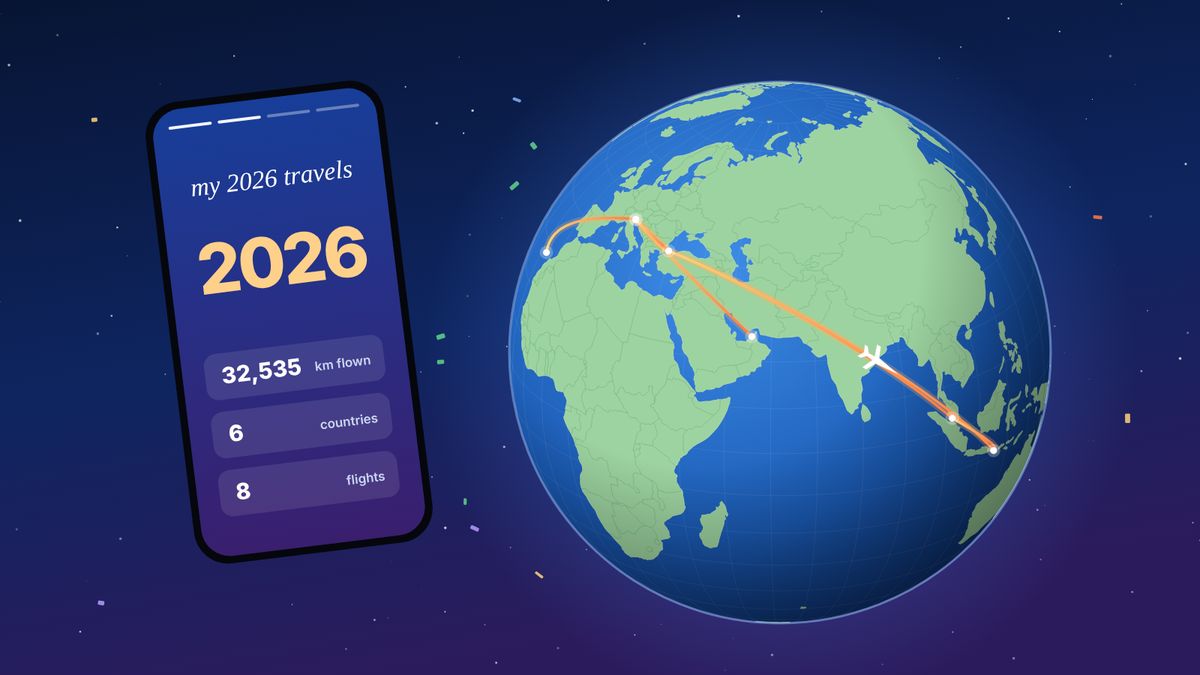
A good year in review answers the questions friends ask in January. Where did you go? How far did you fly? What was the best trip? On flew.world your 2026 page shows all of it on one screen.
- The totals: flights, kilometres flown, hours in the air, airports, countries and airlines.
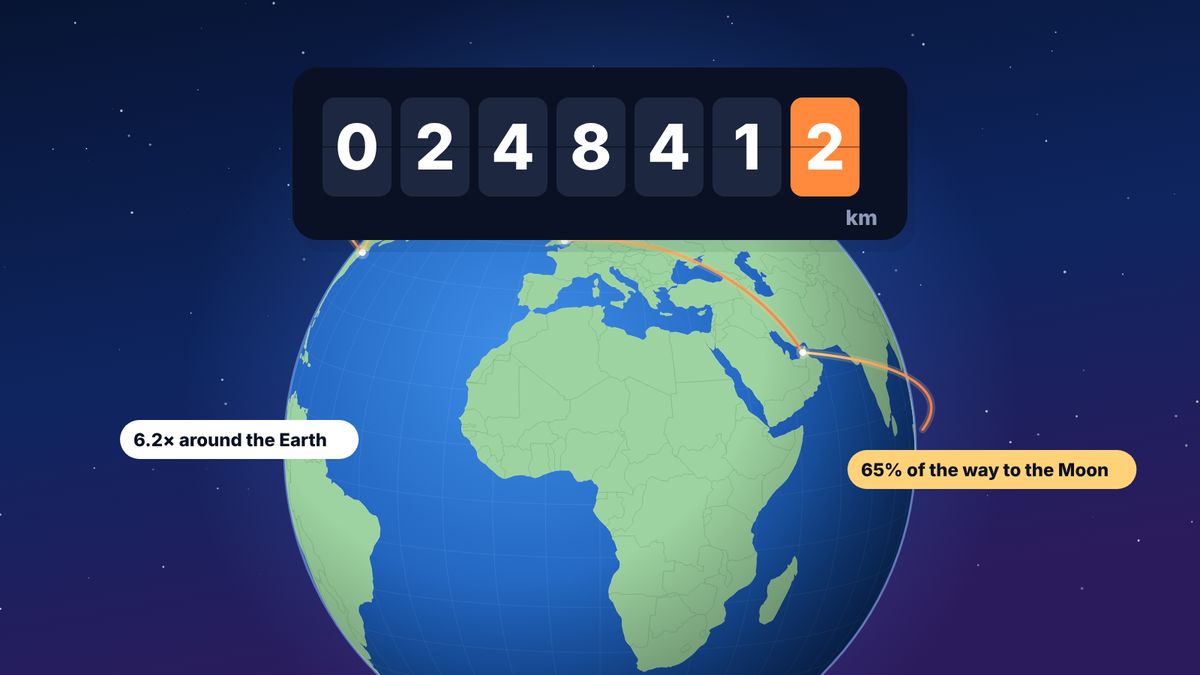
- In perspective: how far around the Earth your year took you, and how far towards the Moon.
- Compared with last year: if you logged 2025 too, every total shows the change.
- Your records and firsts: the longest flight, the busiest month, new countries and airports you had never flown to before.
- A passport card with your numbers on it, which you can save as a Story image.
- Every flight, month by month, so the quiet months and the busy ones are easy to see.
- The year as a video on a satellite globe, in three styles.
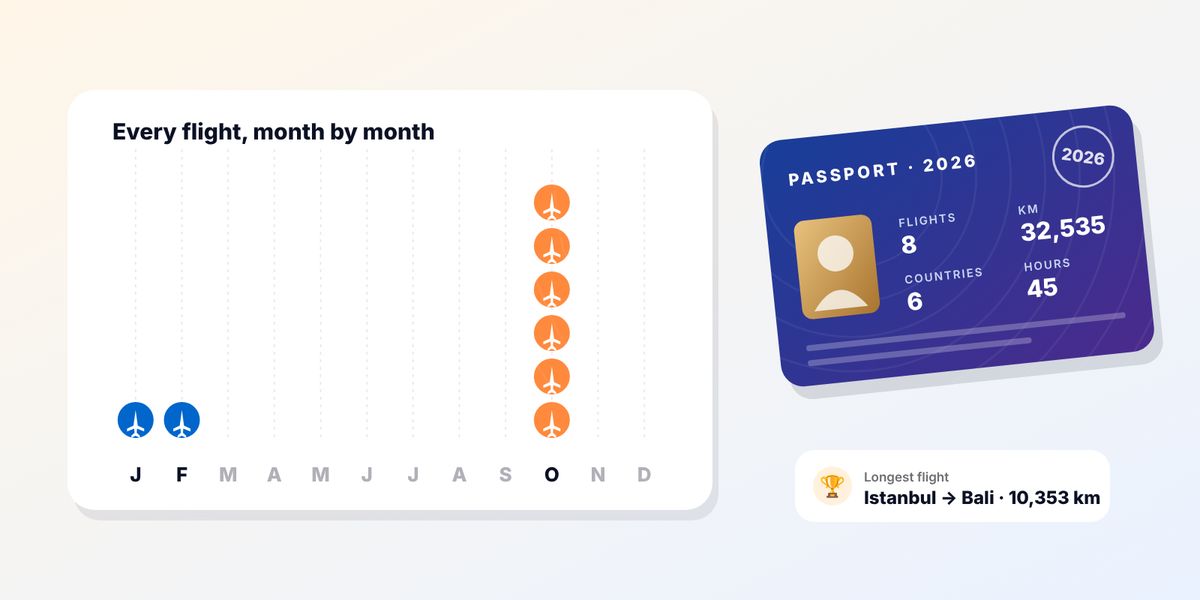
Here is one real 2026 so far, from a flew.world member: 8 flights, 32,535 km (81% of the way around the Earth), 6 countries and almost 45 hours in the air. Most of it happened in a single month: six of the eight flights were in October.
Why your airline can’t give you this
Some airlines send a “your year with us” email, and loyalty programmes show the flights that earned points. Both are useful, but each only sees its own corner.
- One airline at a time. If you flew with four airlines, you get four partial recaps or none.
- Codeshares and partners get lost. A flight sold by one airline and flown by another often shows up in only one place.
- No trips. An airline sees flights, not journeys. It doesn’t know that a connection in Istanbul was a two-hour change and not a holiday.
- Nothing to keep. Recap emails disappear in your inbox, and next year’s doesn’t compare with this one.
A personal flight log fixes this by putting every flight in one place that you control, whatever airline flew it and however you booked it.
How to make yours in four steps
- Create a free account on flew.world. It works in any browser, on iPhone, Android or a computer, and can be added to your home screen like an app.
- Add the flights you took this year. Type a flight number and the date, scan a boarding pass, or import your history from Flighty, myFlightradar24, OpenFlights, an App in the Air export or any CSV file. TripIt users can connect their calendar feed. You check every flight before it’s saved.
- Add a few photos if you like. Each destination in the video opens into your photo. Without one, the video uses flew.world’s artwork of that city, so photos are optional.
- Open your year page at flew.world/u/yourname/2026 and press play. To post it, open the Share Studio on the same page and save the video as an MP4 for Reels, TikTok or Stories.
Your page fills in as you go and says “so far” until 31 December. Flights still to come are counted once they’ve flown, so a trip in late December still makes it into your year.
Pick a video style
All three videos are made on your device from your own flights. They are vertical (9:16), the format Stories, Reels and TikTok use, and they come with music.

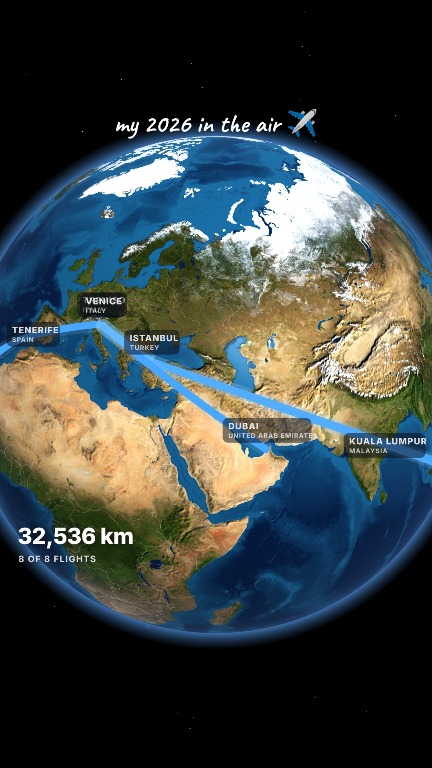
- my year travels is the most social of the three. The globe spins to each destination on the beat, and every city opens like a portal into your photo. It is at its best with a photo for each trip.
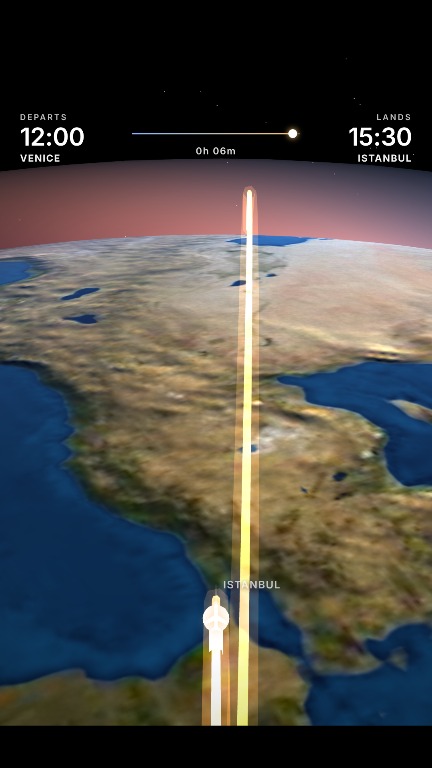
- Globe trip follows the plane. The camera flies along every route on a bright satellite globe, with a label for each city and a counter that adds up the kilometres. It works well without photos.
- Sunrise flight is the cinematic one. It works out real day and night for each flight from the departure time, so you see city lights after dark and the sunrise as you land.
You can watch all three, made from a real traveller’s year, on the year in review page. There is a longer guide on choosing between them in how to make a travel year-in-review video.
Ways to see your year of flights
| Option | Every airline | Year page and video | Cost |
|---|---|---|---|
| Airline app or loyalty account | No, one airline | Sometimes a recap email | Free |
| A spreadsheet | Yes, typed by hand | You build charts yourself | Free |
| A flight-tracking app | Yes, if you logged every flight there | Depends on the app; some features need a subscription | Free to paid |
| flew.world | Yes, added or imported | Year page, passport card, three videos and a Wrapped story | Free |
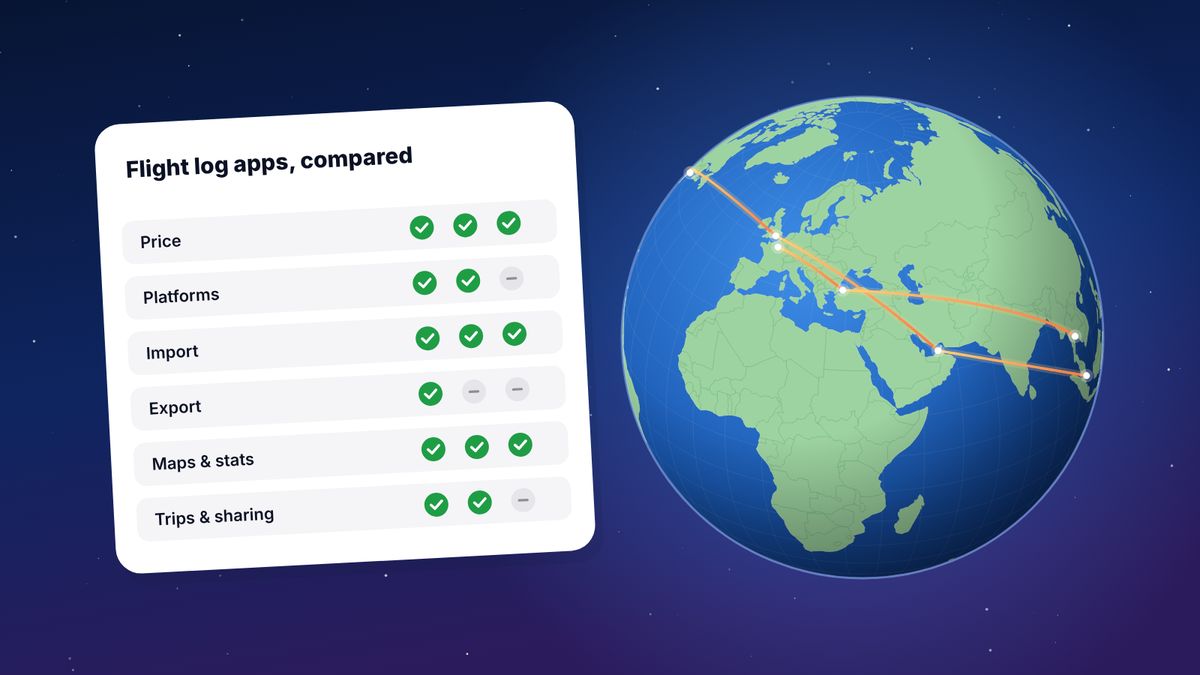
If you already keep a log in another app, you don’t have to choose. Export it as a CSV file and import it into flew.world; the original stays where it is. Our comparison of flight log apps covers the main options in more detail.
Find the flights you forgot

Most people remember the big trips and forget the short hops: the weekend in Lisbon, the work trip in March, the connection that turned into an overnight stop. Five places to look:
- Your email. Search for “boarding pass”, “e-ticket”, “booking confirmation”, “itinerary” or “check-in”, together with 2026. Search in your work email too.
- Airline and loyalty accounts. The activity or statement page of each programme lists the flights that earned points or status.
- Your calendar. Booking apps and travel managers often add flights to it automatically.
- Your photos. Scroll your camera roll month by month. Airports, plane windows and holiday beaches are easy to spot, and many phones show the place each photo was taken.
- Expense reports and bank statements for work trips and flights paid by card.
Adding a forgotten flight takes a few seconds: the flight number and date are enough, and the airports, distance and duration are filled in for you.
Make the numbers right
A year in review is only fun if it’s true. A few things are worth checking before you share yours.
- Connections. flew.world groups flights into trips and treats short changes of plane as connections, not visits. If a stop was really a stay, or the other way round, you can correct it.
- Countries. There are two honest ways to count them: countries you stayed in, and every country you flew into or through, connections included. flew.world shows both and says which is which.
- Distances. Distances are great-circle distances between the airports, the shortest path over the Earth. Real flights fly a little further because of airways and weather, usually a few percent.
- Flight times. If a flight has no recorded duration, the time is estimated at 800 km/h plus 30 minutes for taxi, take-off and landing, and is labelled as estimated.
When is it ready?
Your 2026 page is there from your first flight of the year and updates with every flight you add. The Wrapped story opens on 1 December and stays until the end of January, so there is time to add December’s flights after the holidays. From February the page carries on as a permanent record of the year, next to every year you logged before.
Share it the way you want
Nothing is posted for you. You decide what leaves your phone.
- The video is saved to your device as an MP4. Post it yourself on Instagram, TikTok or WhatsApp.
- The passport card saves as an image sized for Stories.
- The link to your year page works for anyone, but only if your profile is public. Profiles are private unless you choose otherwise, and upcoming flights, seat numbers and booking references are never shown publicly.
Questions
Is there a Spotify Wrapped for flights?
Not from the airlines across all your flights, because each airline only sees its own. Flight log apps fill the gap. On flew.world it’s free and covers flights on any airline.
Is it free?
Yes. The year page, the Wrapped story and the three videos are free. The videos are made in your browser, so there is nothing to pay for.
Does it work on Android?
Yes. flew.world runs in the browser on any phone or computer and can be added to your home screen.
Who can see my year?
Your year page is public only if your profile is. Videos are saved to your device and nothing is posted for you.
Do I need photos?
No. Without photos the videos use flew.world’s artwork of each destination. Photos make the “my year travels” video more personal.
Can I add flights from previous years?
Yes, and you should. Every year you log gets its own page, and this year’s totals are compared with last year’s.
Updated 2 November 2026. Spotted something out of date? Tell us at hello@flew.world.